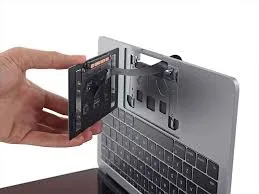
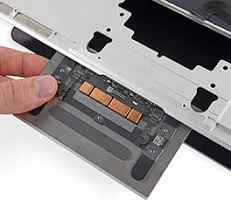
MacBook trackpad not clicking or responding? We repair or replace trackpads for all models — fast, on-site.
MacBook Trackpad Repair
Here's exactly what our technicians do when you book a MacBook Trackpad Repair service with ErrorFix4U.
Trackpad Fault Diagnosis
We perform a software diagnostic and physical inspection to determine if the issue is mechanical, electronic, or related to a swollen battery pressing on the trackpad.
Battery Check
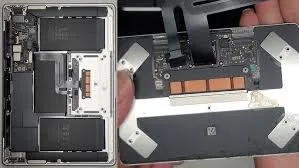
A swollen battery is the most common cause of trackpad issues — we check for this first as it poses both a safety and functional risk.
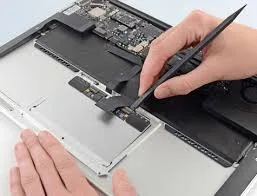
Trackpad Removal
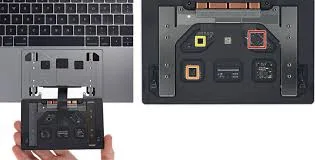
The MacBook is disassembled and the trackpad carefully removed, with the flex cable and Force Touch sensor handled with extreme care.
Trackpad Replacement or Repair
We install a quality replacement trackpad matched to your MacBook model, ensuring correct Force Touch sensitivity and click feel.
Sensitivity Calibration
We calibrate tracking speed, click pressure, tap-to-click, and gesture sensitivity in macOS to match your preferences.
Complete Functional Test
All trackpad functions — tap, click, force click, swipe, pinch, and scroll — are tested thoroughly before we complete the service.
Everything you need to know about our MacBook Trackpad Repair service.
Same-day service across Adelaide & South Australia — get a free quote in minutes.
ErrorFix4U covers every computer and laptop need. Explore our full range of services.
Complete MacBook repair and expert service...
Keyboard repair and replacement...
Battery replacement for all MacBooks...
Cracked MacBook display? We replace it...
Logic board repair by experts...
Complete iMac repair and expert service...
RAM, SSD, and component upgrades...
Speed up your sluggish device...
We travel to you across Adelaide and South Australia — from the CBD to the hills and coast.
YOU MAY ALSO NEED