🔧 Need a hand with your tech? Give us a bell: 📞 0474 635 482  ·  Flick us an email: help@errorfix4u.com  ·  ● Also available after hours, weekends & public holidays

Password Recovery in Adelaide

Locked out of your device or account? We recover access to Windows, Mac and BIOS — fast, safe, no data loss.
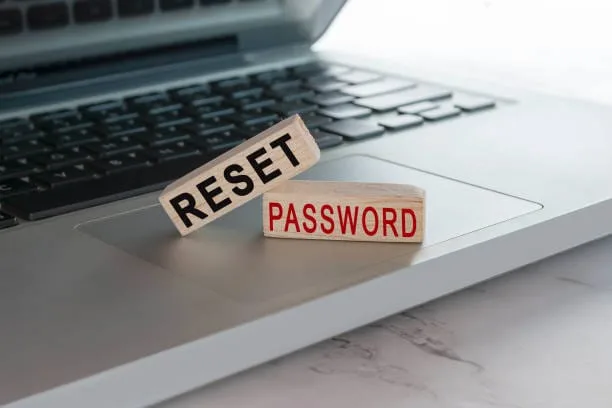
Password Recovery in Adelaide - ErrorFix4U
WindowsMacBIOSNo Data Loss
🔑

Password Recovery

  • Certified, experienced technicians
  • We come to you — home or office
  • Transparent pricing, no hidden fees
  • 90-days Warranty* on all work
  • 7 days a week availability
📅 Book This Service

What's Included in This Service

Here's exactly what our technicians do when you book a Password Recovery service with ErrorFix4U.

01

Access Assessment

We identify the type of lock — Windows local account, Microsoft account, BIOS/UEFI password, or macOS login — to choose the correct approach.

02

Safe Recovery Method

Using specialist tools and proven techniques, we recover or reset access without wiping your data or damaging the operating system.

03

Account Verification

We verify your identity and ownership of the device before proceeding, ensuring your privacy and security is maintained throughout.

04

New Credential Setup

Once access is restored, we set up a new secure password and help you configure a password reset method for the future.

05

Account Sync Check

We verify that Microsoft or Apple account sync is working correctly and that all your apps and settings are accessible.

06

Security Recommendations

We advise on best practices for password management — including password managers and two-factor authentication — to prevent future lockouts.

Password Recovery in Adelaide - photo 1
Password Recovery in Adelaide - photo 2
Password Recovery in Adelaide - photo 3
Password Recovery in Adelaide - photo 4
Password Recovery in Adelaide - photo 5
Password Recovery in Adelaide - photo 1
Password Recovery in Adelaide - photo 2
Password Recovery in Adelaide - photo 3
Password Recovery in Adelaide - photo 4
Password Recovery in Adelaide - photo 5

Signs You Need Password Recovery Help

Forgotten Windows login password
Mac won't accept your password
Computer is asking for BIOS password
Microsoft account locked or disabled
Inherited a locked computer
Second-hand PC with unknown password
Company computer you can't access
Locked out after Windows update

Frequently Asked Questions

Everything you need to know about our Password Recovery service.

Will my files be deleted when you reset the password?
No. Our password recovery methods are non-destructive. Your files, programs, and settings remain completely intact.
Can you recover the password for a company computer?
We can assist with personal devices only. For company-issued devices, you'll need to contact your IT department as administrator access is required.
How long does password recovery take?
Most Windows and Mac password resets take 30–60 minutes. BIOS passwords may take longer depending on the model.
Can this be done remotely?
Password recovery usually requires physical access to the device. An on-site visit or drop-off is typically required for this service.

Ready to Book Your Password Recovery?

Same-day service across Adelaide & South Australia — get a free quote in minutes.

Other Services We Offer

ErrorFix4U covers every computer and laptop need. Explore our full range of services.

Adelaide Suburbs We Cover

We travel to you across Adelaide and South Australia — from the CBD to the hills and coast.

Adelaide CBD Norwood Glenelg Marion Salisbury Modbury Mitcham Morphett Vale Tea Tree Gully Burnside Prospect Mawson Lakes Golden Grove Unley Gawler Mount Barker
See all service suburbs →

YOU MAY ALSO NEED

Related Services in Adelaide

Software & OS Support Virus & Malware Removal Computer & Laptop Repair Slow Computer Tune-Up